
Create Professional Visuals with Accurate Typography Built In
Last verified: March 12, 2026
Qwen Image 2 is a next-generation image foundation model released by Alibaba's Qwen team on February 10, 2026. It unifies text-to-image generation and image editing into a single architecture, replacing the previous two-model approach. The model delivers native 2K resolution (2048×2048) and supports prompts up to 1,000 tokens — enabling detailed layout instructions for infographics, posters, PPT slides, comics, and more. Its bilingual text rendering (Chinese and English) is a standout capability that sets it apart in professional design workflows.
Under the hood, the architecture pairs a vision-language encoder with a diffusion decoder, achieving strong results at a significantly smaller parameter footprint than its predecessor. This means faster inference and lower serving costs without sacrificing output quality. The model consistently performs well in blind human evaluations for both generation and editing tasks, making it a practical choice for creators who need production-ready visuals with embedded text, structured layouts, and photorealistic detail — all from a single generation pass.
Technical Capabilities at a Glance
Key generation specs and limits for Qwen Image 2.
Max Native Resolution
2048 × 2048 (native 2K, not upscaled)
Max Prompt Length
Up to 1,000 tokens for detailed layout instructions
Image Outputs per Request
1 to 6 images per API call
Input Images (Editing)
Up to 3 reference images for editing tasks
Text Rendering
Bilingual (Chinese and English) with structured layout support
Unified Pipeline
Single model for both generation and editing — no pipeline switching
Before You Generate: Preflight Checks
Avoid common quality issues by verifying these model-specific settings before hitting Generate.
Wrap Text in Double Quotation Marks
For accurate typography rendering, always enclose each text element in double quotes within your prompt. This is the single most impactful technique for clean text output.
Set Guidance Scale for Your Task
The default guidance scale is moderate. For text-heavy outputs like posters or infographics, increase it toward 4.0–5.0 to improve prompt fidelity. For artistic/creative images, keep it lower for more freedom.
Choose Resolution Within Supported Pixel Range
Output resolution must fall between 512×512 and 2048×2048 total pixels. You can set width and height freely within that range — use non-square ratios like 1024×1536 for portrait layouts.
Use Negative Prompts to Control Artifacts
Specify unwanted elements (e.g., 'blur', 'extra fingers', 'distorted text') in the negative prompt parameter to reduce common generation artifacts and improve first-attempt success rate.
Enable Prompt Rewriting for Simple Prompts
The prompt_extend feature (enabled by default) optimizes short or vague prompts automatically. Keep it on for simple descriptions; disable it when you need exact control over a detailed layout.
Qwen Image 2 in Action
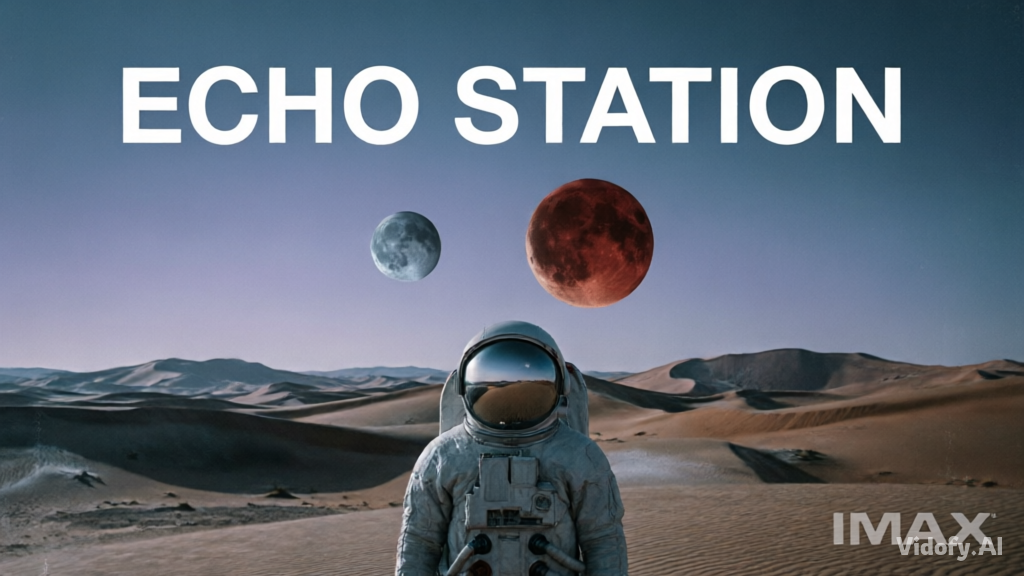
"Minimalist movie poster for a sci-fi film called "ECHO STATION". Title in bold sans-serif at top, a lone astronaut standing in a vast alien desert with two moons on the horizon, muted teal and burnt orange color palette, IMAX format stamp at bottom. Ultra HD, cinematic composition."
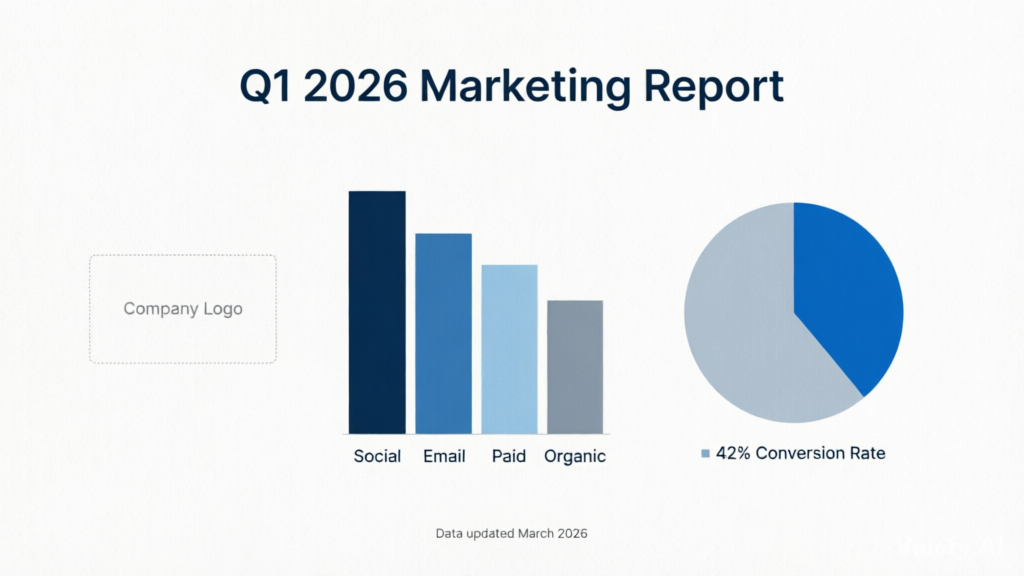
"Professional infographic showing "Q1 2026 Marketing Report". Include a bar chart with four colored bars labeled "Social", "Email", "Paid", and "Organic", a pie chart showing 42% conversion rate, company logo placeholder in top-left, and footnote text "Data updated March 2026" at bottom. Clean white background, corporate blue palette."
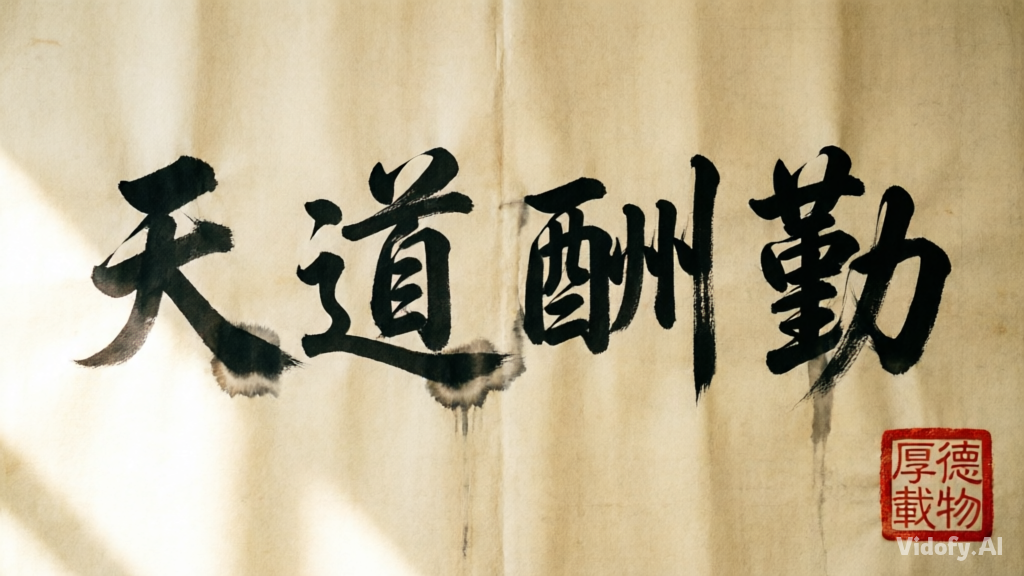
"A Chinese calligraphy scroll with the text "天道酬勤" written in traditional brush strokes on aged rice paper. Red seal stamp in the lower right corner, soft natural light from the left, photorealistic texture of the paper grain and ink absorption. 2K resolution."
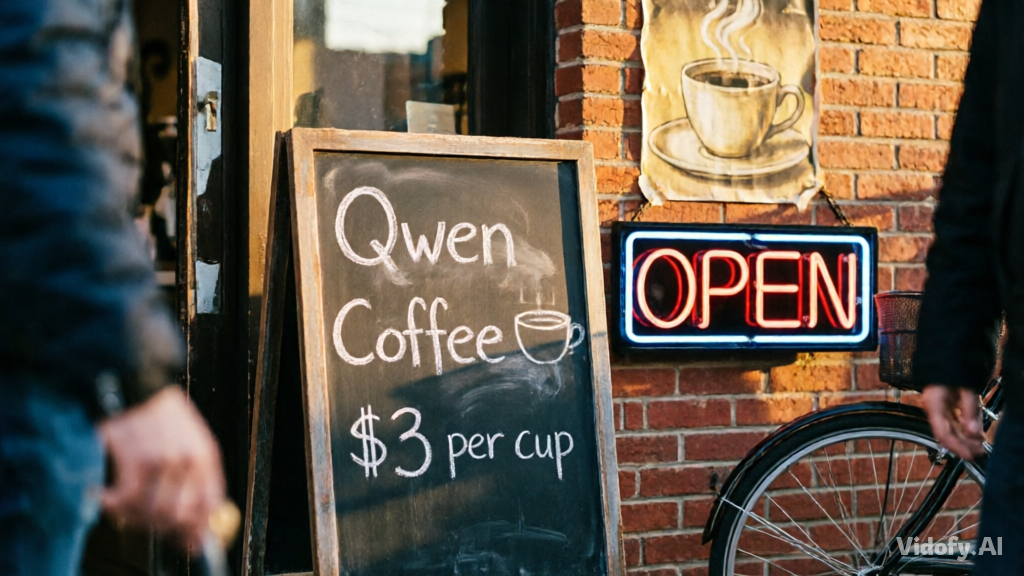
"Coffee shop entrance features a chalkboard sign reading "Qwen Coffee ☕ $3 per cup" in chalk lettering, a neon light beside it displaying "OPEN", and a vintage poster on the brick wall. Golden afternoon light, shallow depth of field, street photography style."
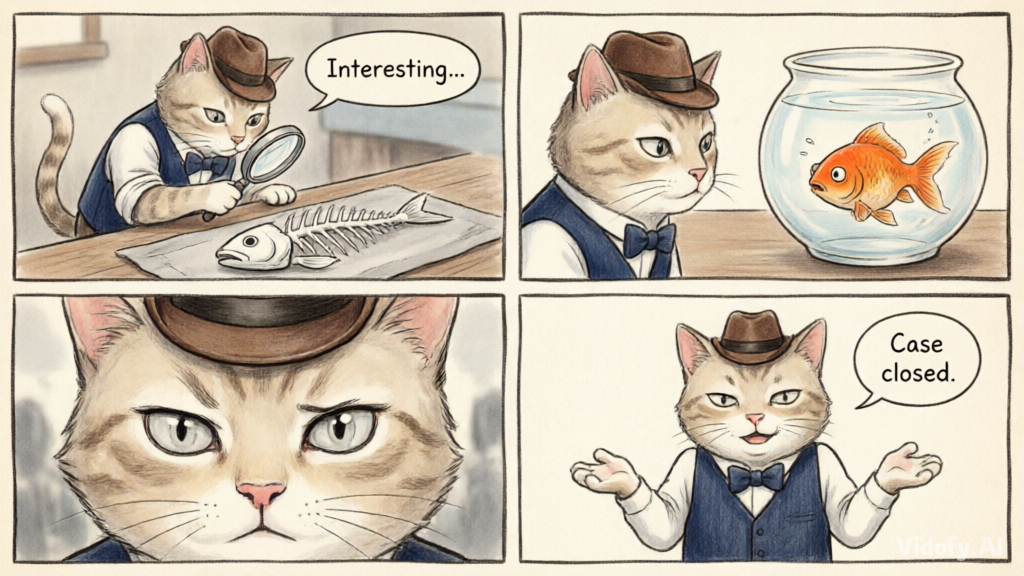
"Four-panel comic strip in manga style. Panel 1: A cat detective wearing a tiny fedora examines a fish skeleton with a magnifying glass, speech bubble says "Interesting...". Panel 2: The cat turns to a nervous goldfish in a bowl. Panel 3: Close-up of the cat's suspicious eyes. Panel 4: The cat shrugs, speech bubble says "Case closed." Consistent character design across all panels."
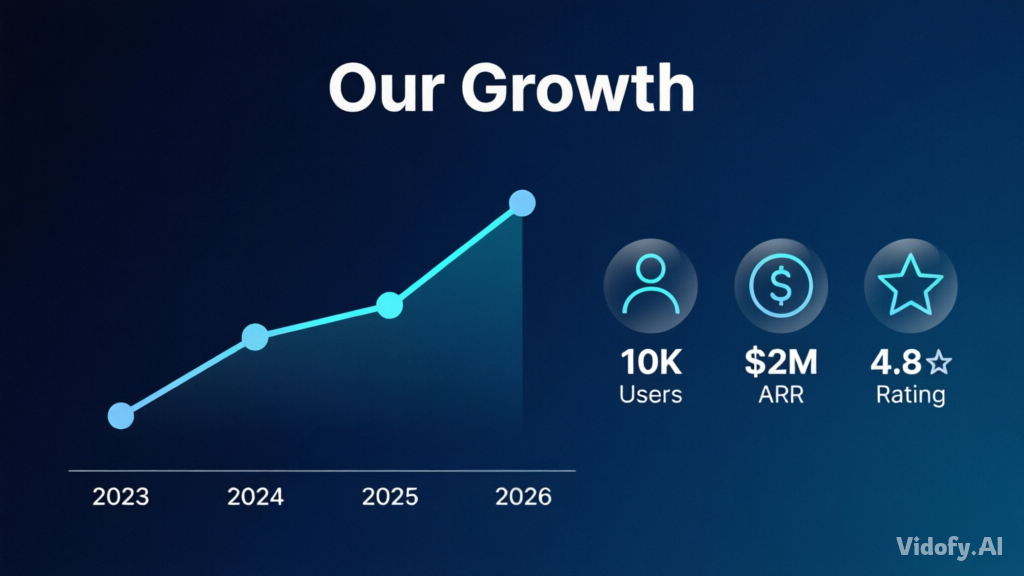
"Presentation slide layout for a tech startup pitch deck. Title: "Our Growth" in bold Helvetica. Below: a line graph trending upward labeled 2023–2026 with data points, three icon badges labeled "10K Users", "$2M ARR", "4.8★ Rating". Clean gradient background from dark navy to midnight blue. Professional corporate style."
Choosing Between Qwen Image 2 and Flux 2 for Your Workflow
Both models offer unified image generation and editing in a single architecture, but they differ in resolution ceiling, parameter scale, text rendering focus, and ecosystem. This comparison helps you decide which model fits your specific creative or production needs.
| Feature/Spec | Qwen Image 2 | Flux 2 |
|---|---|---|
| Developer | Alibaba (Qwen Team) | Black Forest Labs |
| Max Output Resolution | 2048 × 2048 native (approx. 4MP) | Up to 4 megapixels |
| Parameter Count (Open-Weight Variant) | Not verified in official sources (latest check) | 32B (FLUX.2 [dev]) |
| Max Prompt Length | 1,000 tokens | Not verified in official sources (latest check) |
| Multi-Reference Image Input | Up to 3 images | Up to 10 images |
| Text Rendering Strength | Professional typography including bilingual Chinese/English, infographics, and structured layouts | Complex typography, infographics, UI mockups, and multilingual content |
| Open-Weight License | Previous version Apache 2.0; v2.0 weights not yet released | FLUX.2 [dev] Non-Commercial License; klein 4B under Apache 2.0 |
| Accessibility | Available on Vidofy.ai | Flux 2 also available on Vidofy.ai |
How These Differences Affect Your Creative Workflow
Text Rendering and Structured Layout Generation
Qwen Image 2 was designed with text rendering as a first-class feature — its extended prompt length supports generating complete infographics, presentation slides, and multi-panel comics with accurate bilingual text in a single pass. Flux 2 also handles typography and UI mockups well, but its strength tilts more toward multi-reference consistency and brand-asset production across batches. If your workflow centers on generating images that contain substantial embedded text (posters, data charts, calligraphy), Qwen Image 2 is the more specialized tool. If you need to maintain character or product identity across dozens of output variants, Flux 2's multi-reference pipeline (supporting up to 10 images) gives you more compositing flexibility.
Ecosystem and Deployment Flexibility
Flux 2 currently offers a broader family of model variants — from the 32B open-weight dev model to the lightweight klein distillation and the commercial pro/max tiers — with established support in ComfyUI, Diffusers, and multiple cloud endpoints. Qwen Image 2 is available via the Alibaba Cloud DashScope API and the Qwen Chat demo, with open weights anticipated but not yet released for the 2.0 version. For teams that need immediate local deployment or LoRA fine-tuning, Flux 2's ecosystem is more mature today. For teams that primarily need API-based generation with strong text rendering and editing, Qwen Image 2 delivers a streamlined single-model experience.
When to Choose Qwen Image 2 vs Flux 2
Use this quick guidance to pick the best option for your workflow.
From Prompt to Finished Image in Four Steps
Generate your first image in under two minutes with this simple workflow.
Step 1: Select Qwen Image 2
Open Vidofy.ai's generation interface and choose Qwen Image 2 from the model selector. No API keys or installation needed.
Step 2: Write Your Prompt
Describe what you want to create. For text-heavy outputs, wrap each text element in double quotes and specify layout details. Use up to 1,000 tokens for complex designs like infographics or multi-panel comics.
Step 3: Configure Settings
Choose your resolution (up to 2048×2048), aspect ratio, and number of output images. Adjust guidance scale higher for precise typography or lower for creative freedom. Add a negative prompt to exclude unwanted elements.
Step 4: Generate and Download
Click Generate and review your results. Need changes? Edit the same image through the model's built-in editing capability — no need to start over or switch tools. Download your final images when ready.
Frequently Asked Questions
What types of images is Qwen Image 2 best suited for?
This model excels at images that combine visuals with accurate text — infographics, presentation slides, movie posters, product packaging, comics with speech bubbles, and bilingual (Chinese/English) designs. It also handles standard photorealistic scenes, portraits, and artistic styles well, but its text rendering capability is the primary differentiator from other image generators.
What resolution and aspect ratios can I use?
You can set width and height freely as long as the total pixel count falls between 512×512 and 2048×2048. Common aspect ratios like 1:1, 16:9, 9:16, 4:3, and 3:4 all work well. The model generates natively at the resolution you specify — there is no separate upscaling step.
Can I edit an image after generating it?
Yes. The model unifies generation and editing in a single pipeline. You can upload one to three reference images and give text instructions to modify them — change outfits, adjust poses, swap backgrounds, add or remove objects, or edit text within the image. All editing happens through the same model endpoint.
How many images can I generate per request?
The model supports generating one to six images per API call. On Vidofy.ai, you can select the number of output variations you want before generating. Using a seed value ensures reproducible results when you want consistent variations.
Are the generated images safe for commercial use?
Commercial usage rights depend on the specific access method and applicable terms of service. The previous Qwen-Image version was released under an Apache 2.0 license, but the 2.0 version's open-weight licensing has not been finalized yet. Check the latest terms on the official Alibaba Cloud and Vidofy.ai documentation before using outputs in commercial projects.
How does the text rendering actually work — will it spell everything correctly?
The model's architecture was specifically designed for professional typography, supporting up to 1,000 tokens of detailed layout instructions. Accuracy is high for both Chinese and English text across formats like posters, calligraphy, signage, and data charts. For best results, wrap each text element in double quotation marks within your prompt and keep guidance scale at 4.0–5.0. Complex or unusual strings may still require verification and regeneration.